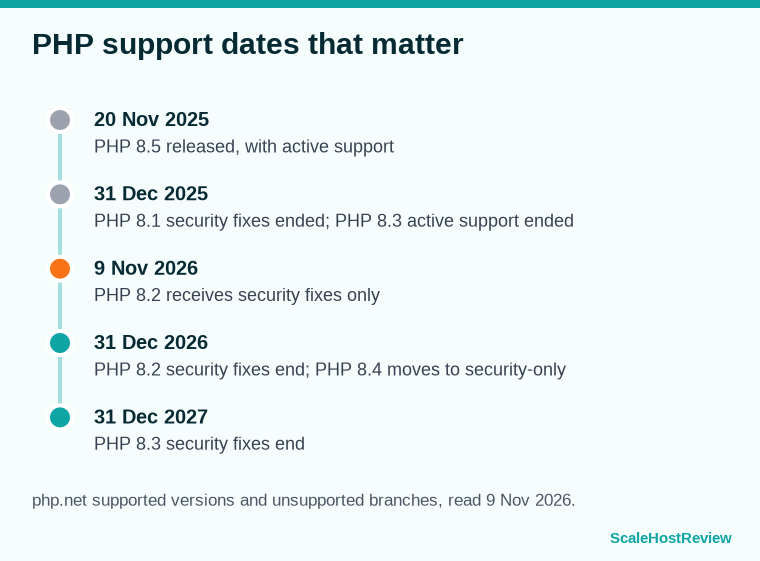
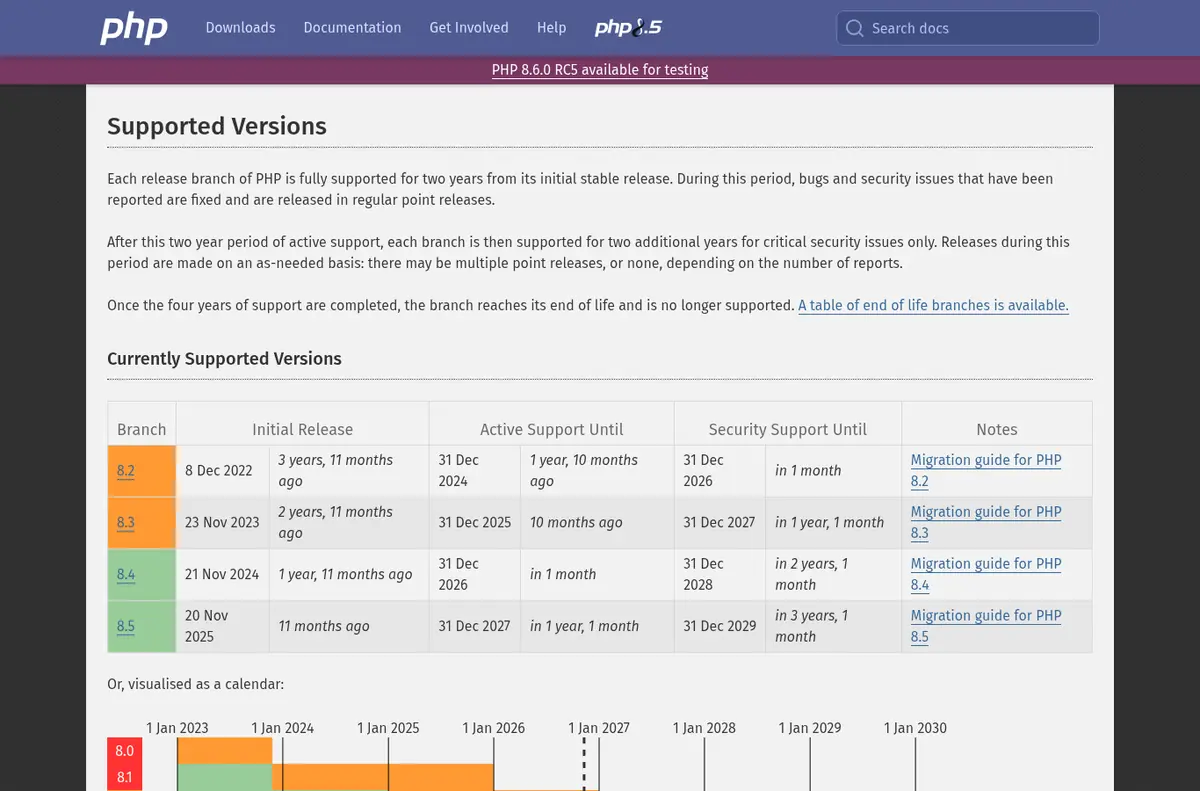
Every PHP branch gets two years of active support and then two years of security fixes only. After that, php.net stops releasing patches for it. PHP 8.2 reaches that point on 31 December 2026. Most WordPress owners never choose a PHP version; their host does, and the host's policy decides whether the change happens on your schedule or theirs. This guide lays out the dates from php.net and WordPress, the policy questions that decide who controls the date, and what Cloudways says in its own documentation. Sources were read on 9 November 2026 and rechecked on 10 November 2026.
The dates that matter
| PHP branch | Status on 9 November 2026 | Security fixes until |
|---|---|---|
| 8.1 | End of life. Last release 8.1.34 | 31 December 2025 (ended) |
| 8.2 | Security fixes only | 31 December 2026 |
| 8.3 | Security fixes only (active support ended 31 December 2025) | 31 December of next year |
| 8.4 | Active support until 31 December 2026, then security only | Two more years after that |
| 8.5 | Active support (released 20 November 2025) | Four years from release |
Source: php.net supported versions and php.net unsupported branches, read 9 November 2026.
The practical reading: 8.2 has seven weeks of patches left, 8.3 has a little over a year, and 8.4 or 8.5 give you the longest runway. If your host offers 8.4, it is the version that avoids doing this again next winter.
What WordPress itself recommends
WordPress's requirements page recommends PHP 8.3 or greater. In May 2026 the core team retired the "beta support" label it used to put on new PHP versions and now documents WordPress 6.9 and 7.0 as fully supporting PHP 8.5, 6.8 and later as fully supporting 8.4, and 6.4 and later as fully supporting 8.3 (PHP support clarification, spring 2026). The minimum supported version is 7.4, but that is a floor for compatibility, not advice to stay there.
Core support is only part of the picture. The same post notes that WordPress "is rarely used in isolation". Old plugins, a custom theme, or a snippet pasted into functions.php years ago are what break on a PHP upgrade. That is why the test matters more than the version number.
Five questions that decide who controls the date
Managed hosts take different approaches to expiring PHP branches. Some move every site automatically, some let you opt out, and some leave the switch entirely to you. Read your own host's PHP documentation, or ask support, for the answers to these five questions before December:
| Question | Why it matters | What a good answer looks like |
|---|---|---|
| Does the host upgrade end-of-life versions automatically? | If yes, the change happens on the host's schedule, not yours, and untested code meets the new version in production. | A published date and a target version you can test against now |
| Can you defer or opt out? | A short deferral buys time for a plugin fix. An open-ended opt-out keeps an unpatched branch running. | A defined, temporary window, with the risks stated |
| Who gets warned, and how early? | Warnings often go to a technical contact nobody reads. | Email to a named contact several weeks ahead |
| Can staging run a different PHP version from production? | Staging is the only honest compatibility test. | Per-environment version control |
| Can you switch back if something breaks? | A quick rollback turns an outage into a minor incident. | A one-click return to the previous version while it is still offered |
How Cloudways handles PHP versions
| Point | What the Cloudways article says |
|---|---|
| Versions offered | 7.4, 8.0, 8.1, 8.2, 8.3 and 8.4. 8.5 is “not yet available” and promised by the end of 2026 |
| Default for new servers | New servers and applications are set to PHP 8.2 |
| At end of life | The article does not describe an automatic move at end of life. It says Cloudways monitors official PHP security releases and patches the versions it supports |
| How the switch is made | Application Settings > PHP Settings on Flexible (8.4 needs Debian 11 or 12 and is Flexible-only); Workflows/Tools > PHP Settings on Autonomous |
| Rollback | Backup recommended before changing; you can switch back to a previous supported version |
Source: Cloudways PHP upgrade article, read 9 November 2026. A "does not describe" cell means that page did not say; it does not mean the feature is missing.
What that means on Cloudways: you own the switch
Cloudways gives you the most control and the most responsibility. New servers default to 8.2, which is the branch expiring this year, so a site launched recently may be on it without anyone choosing it. The upgrade is per application, and the server's packages matter: PHP 8.4 needs Debian 11 or 12, and on the page we read it is available on Cloudways Flexible only. Cloudways also says it applies official PHP security patches to the versions it supports, but that does not extend php.net's own support dates. Put the upgrade on your calendar.
If your host upgrades automatically
Automatic upgrades protect sites nobody is watching, but they usually move a site to the host's newest supported version, which can mean jumping several minor versions at once. If you have custom code, test against the newest version your host offers now, then switch on your own schedule before the host's date. Treat any "long-term support" or extended-support option for an old branch as a short bridge, not a plan.
A test-then-switch plan
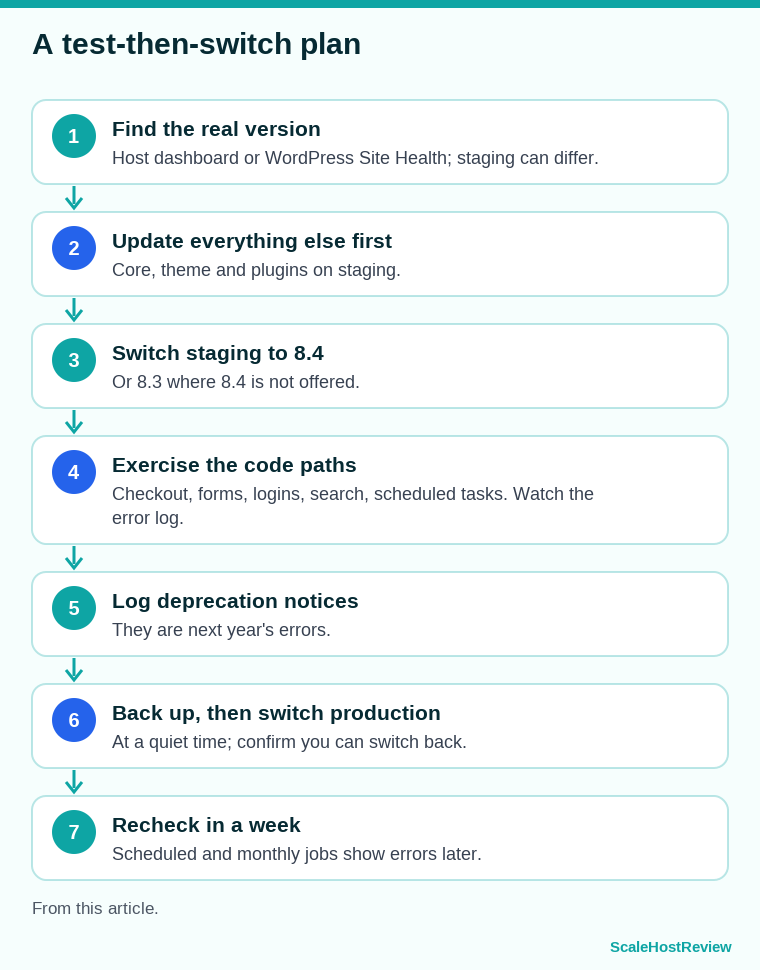
- Find the real version. Read it from the host dashboard (on Cloudways, Application Settings > PHP Settings), or from WordPress's Site Health screen (Tools > Site Health > Info > Server). Staging copies can differ from production, so check both.
- Update everything else first. Core, theme and plugins on staging. Many PHP errors disappear with a plugin update.
- Switch staging to the target version. 8.4 where offered, otherwise 8.3.
- Exercise the parts that run code. Checkout, forms, logins, search, scheduled tasks, imports, page builders, and any custom integration. Watch the PHP error log, not just the front page.
- Read deprecation notices. A deprecation notice flags code that still works but will be removed in a later PHP version. Log them for your developer; they are next year's errors.
- Take a backup, then switch production at a quiet time. Cloudways describes switching back to a previous supported version if something breaks; confirm the same on any other host.
- Recheck in a week. Scheduled tasks and monthly jobs will not show their errors on day one.
If a plugin will not run on 8.3 or later
A plugin that breaks on supported PHP versions is a security problem of its own. Check for an update or a maintained fork, ask the author, or replace it. Holding the whole site on an expiring PHP version to keep one plugin alive trades a small known problem for an open-ended one. WordPress's update PHP guide walks through the same reasoning for site owners who do not manage servers.
Related reading
Backups matter most on the day you change PHP: see managed WordPress backups and retention. For a bigger change than a PHP version, see what to measure before you move a site and the migration checklist. Host comparisons: DigitalOcean vs Cloudways, Hostinger vs Cloudways, Cloudways pricing explained and managed vs shared hosting.
 See Cloudways plans and server options →May earn a commission.
The Cloudways button is our affiliate link. The php.net, WordPress and Cloudways documentation links above are ordinary links.
How we checked this: we read php.net, WordPress.org and Cloudways' current documentation on 9 November 2026 and rechecked the dates on 10 November 2026. We did not run PHP upgrades for this article.
Update, 22 November 2026: PHP 8.6 is out
PHP.net's supported versions table, read on 22 November 2026, lists PHP 8.6 as released on 19 November 2026, with active support until 31 December 2028 and security support until 31 December 2030. It still shows PHP 8.2 security support ending on 31 December 2026, PHP 8.3 ending on 31 December 2027, and PHP 8.4 moving from active to security-only support on 31 December 2026. The WordPress Hosting Handbook recommends PHP 8.4 or later for production and says hosts should test their full stack before making a new version the default. The full checklist is in WordPress hosting requirements.
Compare prices before you buy
Our highest-intent guides, built from official pricing pages:
- Hosting renewal price increases: 24 plans from 8 hosts: our 2027 data study
- Cloudways alternatives compared: Rocket.net, WPX, SiteGround and more
- SiteGround vs Cloudways
- Best managed WordPress hosting
Frequently asked questions
When does PHP 8.2 reach end of life?
Which PHP version should a WordPress site use?
Will my host upgrade PHP automatically?
What PHP version does Cloudways use for new servers?
Did you test these upgrades yourselves?
Is PHP 8.6 released?
Sources
Official pages, documentation and primary documents this page relies on. Where the text gives a price, limit or rule, it names the date that page was read. Vendors change pages; check the source before you buy.
- php.net supported versions php.net
- php.net unsupported branches php.net
- requirements page wordpress.org
- PHP support clarification, spring 2026 make.wordpress.org
- Cloudways PHP upgrade article support.cloudways.com
- update PHP guide wordpress.org
- Cloudways official site cloudways.comCommission link
- Hostinger official site hostinger.com
- DigitalOcean official site digitalocean.com